NEW QUESTION 93
Refer to the image.
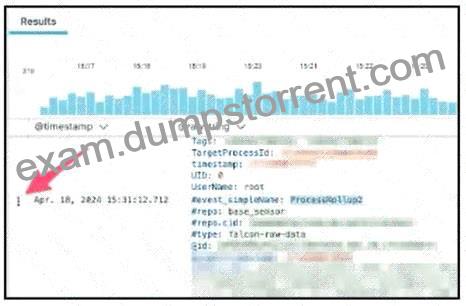
You are using Advanced Event Search to find the event record for a suspicious network connection.
Using the Event List Interactions button for the event, indicated by the arrow in the image above, which option will show all contextual event data around the process execution being investigated?
The correct option is Show Responsible Process Data. When investigating a suspicious network connection, the network event itself is only one part of the activity. The responder needs to identify the process responsible for initiating the connection and then pivot into the contextual process data around that execution. “Inspect” is useful for looking at the selected raw event details, but it does not provide the broader responsible-process context. “Show +/- 10-minute windows of events” expands the time window, but it is not specifically focused on the process responsible for the network activity.
“Investigate Host” pivots to host-level context, which is broader than the process-specific requirement.
Responsible process data is the most direct investigative pivot here.